



Pure Flix is an uplifting faith and family value-based alternative to Netflix and network television, and you can stream right from your computer or tablet with the Pure Flix app — or watch a movie or series on your TV. To watch great Christian movies, check out these easy options available within the United States and Canada.
Watch on the Pure Flix App
Before we get into the many ways you can enjoy Pure Flix content on your TV, let’s explore how you can also watch content directly on the Pure Flix app via tablets and mobile devices. The app can be downloaded from the Apple or Android app stores. View all of the Pure Flix-supported devices available here.
How to Use the Great American Pure Flix App
Gaining access to Great American Pure Flix app on Android and Apple is simple. Here are a few easy-to-follow steps:
-
Sign up for Great American Pure Flix.
-
Download the app from the Apple or Android app stores.
-
Login to the app and start browsing.
-
Now, click and enjoy various titles. With thousands of options to choose from, there’s no shortage of faith and family values content.
Download the Great American Pure Flix App
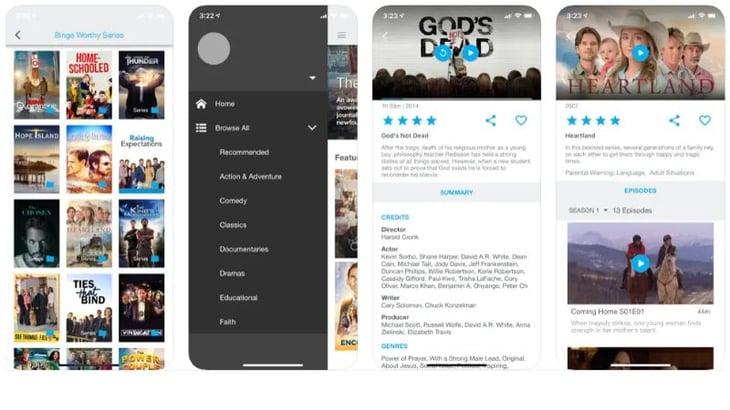
In addition to tablet and phone app access, Great American Pure Flix can be accessed on a variety of devices, including Xbox One, Roku, Apple TV, and Amazon Fire, among others.
Roku
There are various Roku devices (including a stick device) and some boxes that are similar to a cable box or Apple TV. Once you plug the Roku device into your TV, you can download the Pure Flix app and/or log in with your account information to stream content through your device.
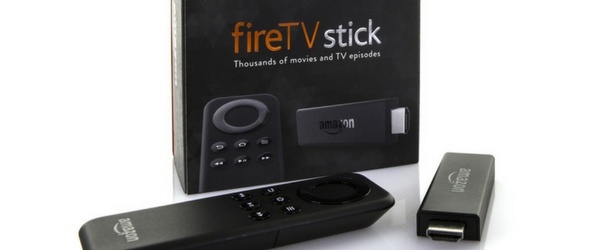
Amazon Fire TV Devices
The Amazon Fire devices work similarly to Roku - plug in and download the Pure Flix app, then login to your account.
Chromecast Devices
While Chromecast is the most economical choice, it does take a bit of know-how. Once you connect your Chromecast device to your TV and register the device to your wi-fi network, you then need to download the Google Cast extension to your Chrome browser. Once the Google Cast extension is downloaded, you will be able to click the Google Cast icon found in the upper right corner of the Chrome browser toolbar and cast your Pure Flix tab to your Chromecast device. Note: Pure Flix is only supported on external Chromecasts devices.
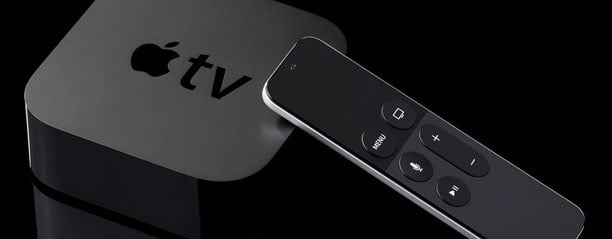
Apple TV
If your Apple TV is a Generation 4 or newer (allowing access to the App Store), you can download the Pure Flix app and watch directly from your Apple TV. Just head to the App Store on your TV and search "Pure Flix."


Join the Conversation
Share a thoughtful comment or question for the Journal team. Comments are moderated to keep the conversation welcoming.